

Solution to USB Recognition Error for 3DeVOK MT/MQ Scanner
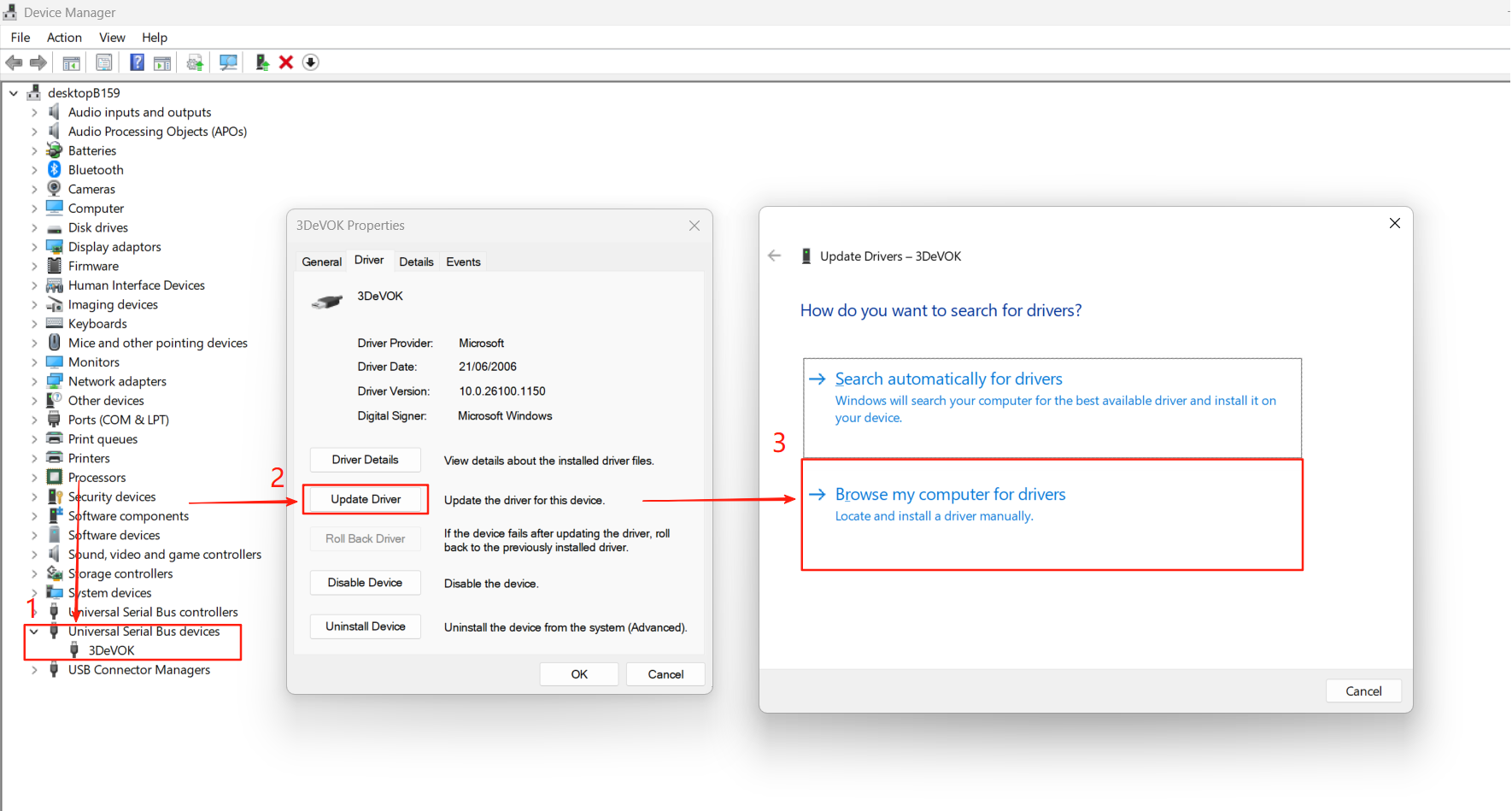
Under normal circumstances, the USB of the device should be located under “Universal Serial Bus devices”. If the device’s serial port is not in this position when viewed in the “Device Manager”, please follow the steps below to update the driver.
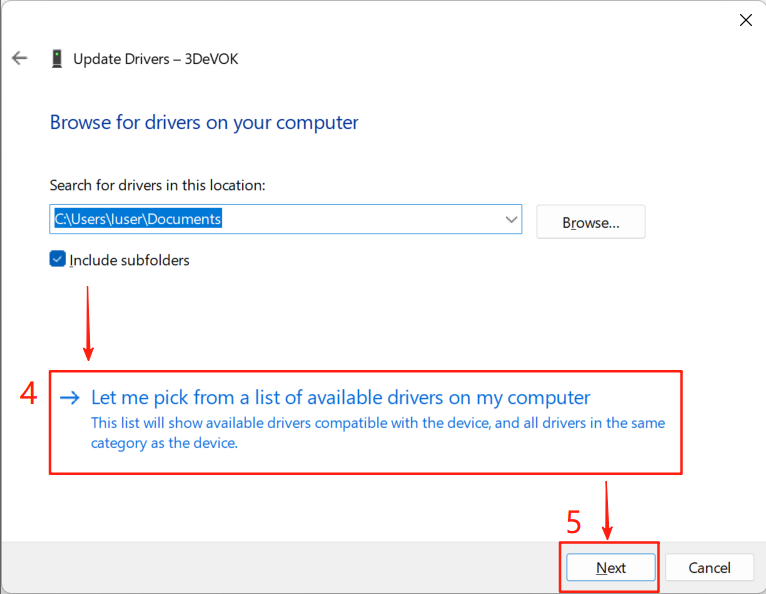
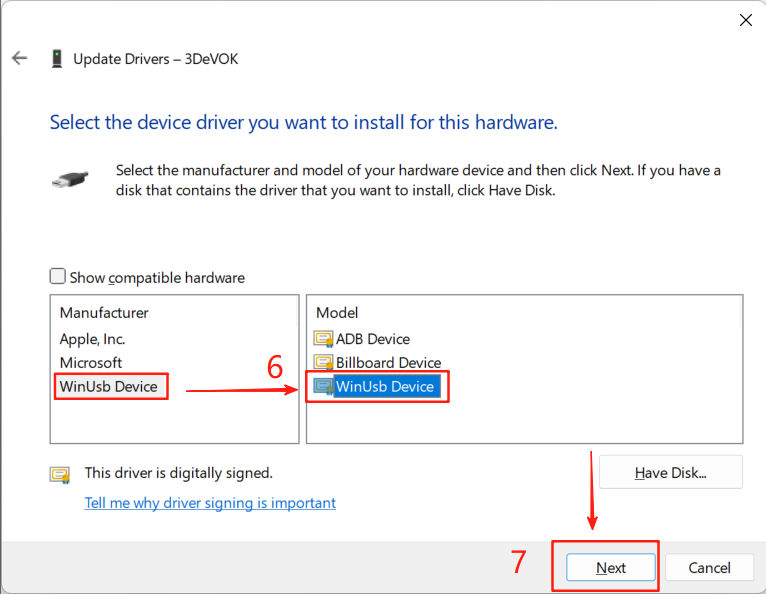
In the Device Manager, find “3DeVOK” – right-click “3DeVOK” – Update Driver – Browse my computer for driver software – Let me pick from a list of device drivers on my computer (L) – WinUSB Device.
After completing the above steps, the device can be used normally.