

In the QUICKSURFACE software, how can I delete the excessive individual mesh data (floating-point data) with one click?
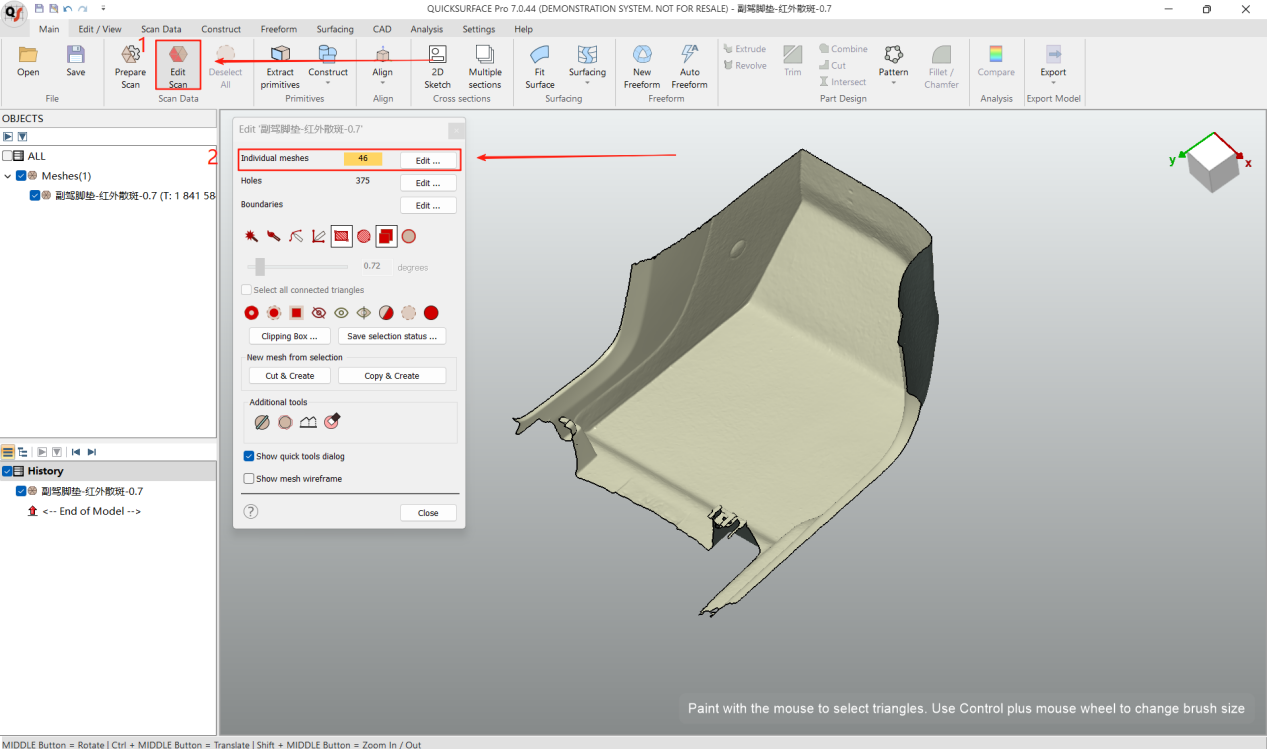
1. Select “Edit Scan Data”(Access the scan data editing module)
2. Click “Edit”(Identify floating/sub-mesh datasets)
3. Select target primary mesh → Click the “①” button
Retain only the designated principal mesh
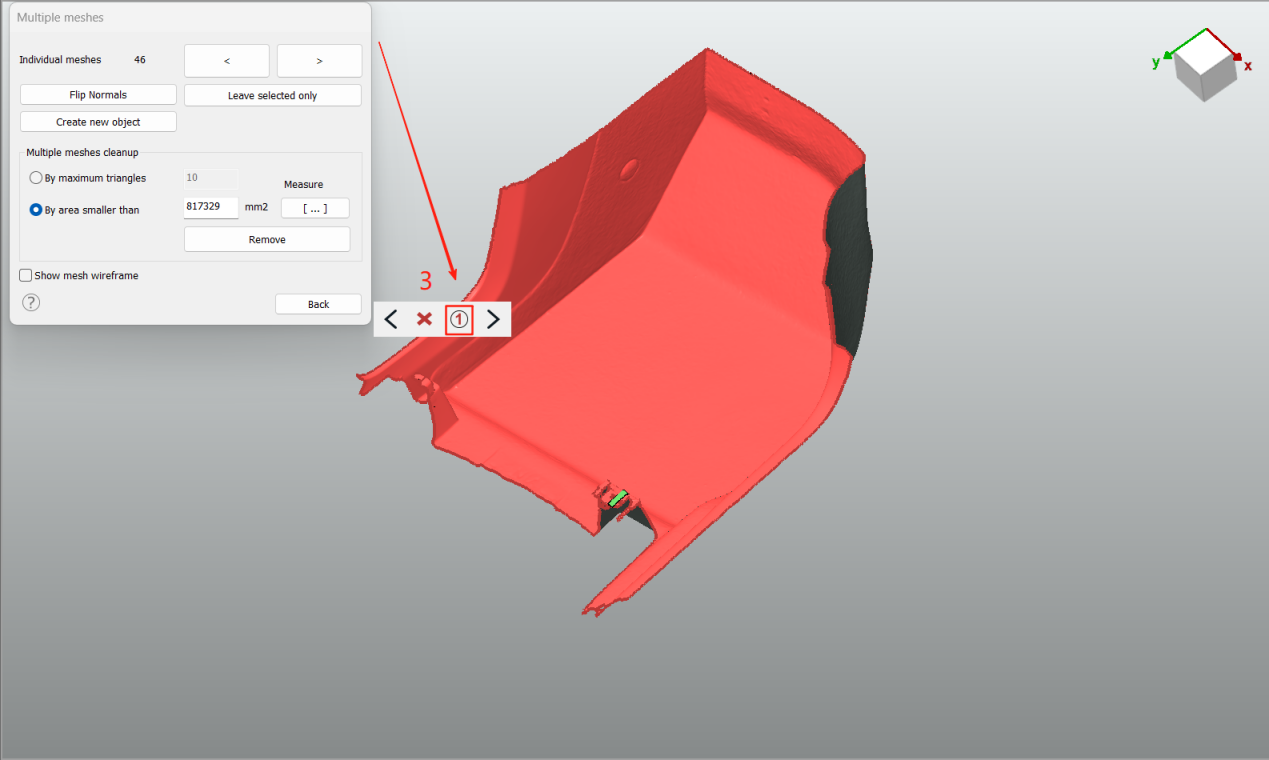
Result: Non-selected secondary mesh data will be permanently deleted.