

How to calibrate the 3DeVOK scanner with a non-matching master plate?
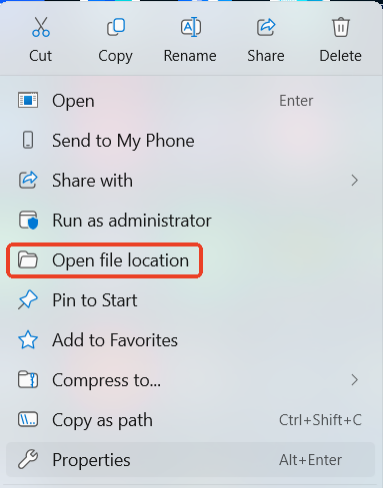
- Right-click the “3DeVOK Studio” icon and select “Open file location”.
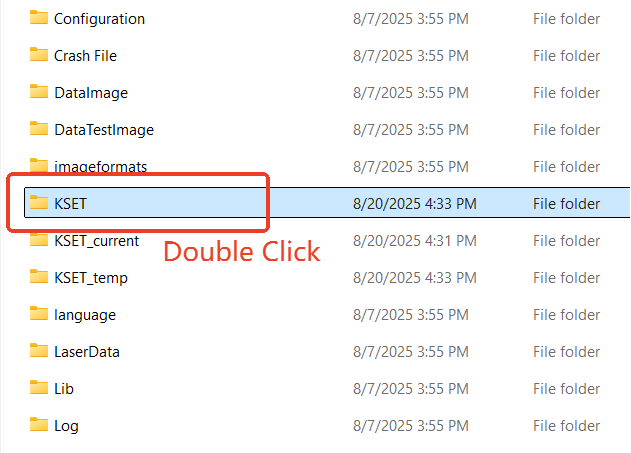
- Find and open the “KSET” folder.
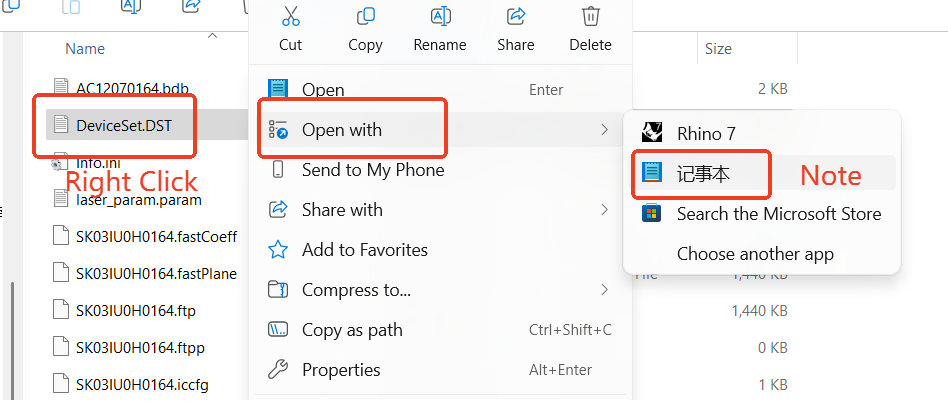
- Inside, find the file “DeviceSet.DST”. Right-click it and open with Notepad.
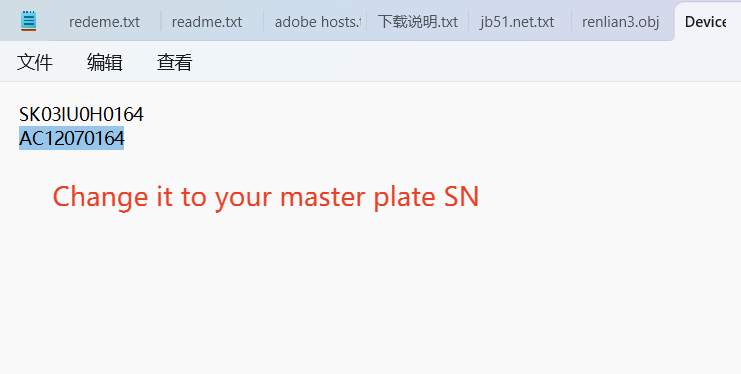
- You will see two serial numbers:the first line is for the device, the second is for the master plate. Change the second line to the new master plate’s serial number.
- Locate the storage case corresponding to the serial number of the master plateto be used, and retrieve the USB drive inside.
- Open the “KSET” folder on the USB drive.
Copy the “.bdb” file from this folder to the “KSET” folder in the software’s installation directory. (Right-click on the “3DeVOK Studio” desktop shortcut and select “Open file location” to access the installation directory directly)
