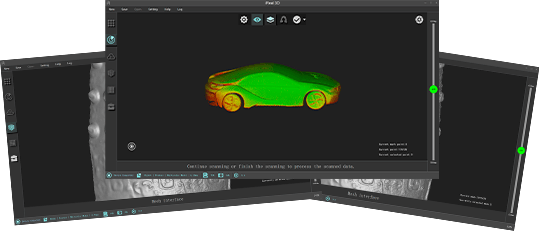
After the data is saved, re-open the file in the iReal software, the next step cannot be processed.
- Check whether the datanumber in the DataImage folder where the scanning project is saved is continuous. If there are intermittent numbers, the data cannot be processed normally.
- At the same time, check whether there are files of 0 kb in the folder. Those files will also affect the normal processing of data.
- Check the performance of the CPU and GPU of the computer and check if the disk space of the computer is sufficient, you can quickly check them from the diagnosis function of the software.
What is the maximum distance between two markers?
To ensure a better result, it is recommended that the distance between two markers should not exceed 8-10 cm.
Why do I need to spray powder before 3D scan objects with certain features like highly reflective, shining black surfaces, transparency or mirror-like?
The scanning spray powder is used to effectively improve the scanning result and make the scanning experience smoother. Some scanned objects with certain features such as black and shining surfaces, highly-reflective surfaces, transparent surfaces, and mirror-like surfaces tend to be difficult to scan, by using scanning spray powder, the high-accuracy point cloud data could be obtained easier.
Can I scan black objects with a iReal 3D scanner?
The iReal 3D scanner adopts infrared structured light technology, which has better adaptability for materials and environment, it can 3D scan most black objects. However, it needs some certain surface treatment (such as scanning spray powder) when scanning shining and black material or strongly reflective black material to ensure a smooth scanning process and accurate point cloud data.
Do I need a reauthorization if I switch to another computer?
No. the iReal 3D scanner uses a Dongle for encryption. The scanning work can be done with the iReal 3D software and the plugged-in Dongle.
Plus, if customers just want to open the point cloud data (asc.) or the mesh data (stl., obj.), the Dongle is not a necessity for the software.
When the 3D scanner is not plugged in and connected, customers can still import the point cloud project files and then re-edit, generate point cloud data, mesh data and align two point cloud project files once the Dongle is plugged in.
When the 3D scanner is plugged in and connected, the scanning process can be continued based on the point cloud project file.
How to use the computer properly to ensure a smooth 3D scanning experience?
- The USB 3.0 interface is a must;
- Make sure the computer is properly plugged in and the high-performance mode is on;
- Upgrade the graphic driver to the latest version;
- Make sure the iReal 3D software is installed to the disk with memory larger than 20G;
- Set iReal 3D software under the high-performance mode of the NVIDIA graphics card;
- Turn off the computer protection software;
- Try to keep the working temperature of the computer no higher than 55 centigrade to maintain good performance;
- It is suggested to reopen the iReal 3D software and computer after continuously working for a while or scanning a few large project files in case the computer stutters;
- For daily maintenance, do not force to fold the USB cable.
What is a 3D scanner? What is it used for?
A 3D scanner is a measuring device for measurement and analysis of the geometric structure and exterior texture of a real-world subject or environment. With the graphics and image processing technology of 3D scanners, the three-dimensional information of an object’s surface can be obtained in the form of 3D points, the collection of numerous 3D points is called the three-dimensional point could. The 3D point cloud can be turned into a 3D digital model through the wrapping process. Those 3D models have a wide range of applications, for instance, 3D data monitoring (such as flaw monitoring of mechanical parts, abrasion analysis of molds, etc.), reverse engineering, personalized medical treatment, engraving processing, 3D data archiving, 3D model analysis, television animation, video games, virtual display, objects/figures modeling, 3D exhibitions and so on.